Rehman Dakait Gemeni Ai Prompt – Dhurandhar Style Editing Prompt for AI Tools
Introduction
The Rehman Dakait look from the Dhurandhar movie has captured the attention of movie fans, AI creators, and social media enthusiasts alike. The character’s intense expressions, dark cinematic aesthetic, and rugged style make it perfect for dramatic photo edits. With AI tools such as Gemini, creating your own Rehman Dakait-inspired portrait has never been easier. By using detailed prompts that include lighting, facial expression, costume, and environmental cues, you can instantly transform any photo into a cinematic masterpiece.
This guide provides everything you need to achieve the iconic Rehman Dakait look, including two copy-ready Gemini AI prompts specifically designed to deliver authentic Dhurandhar-style results. Following these prompts ensures your AI-generated images maintain the gritty, cinematic atmosphere of the movie while preserving the realistic details of your original photo.
Understanding the Rehman Dakait Look
The Dhurandhar movie presents Rehman Dakait with a highly distinctive visual style. His look is defined by a combination of low-key, dramatic lighting, sharp facial features, rugged attire, and an intense, fearless gaze. The background is often dusty, smoky, or desert-like, enhancing the character’s gangster vibe. Colors are muted with a focus on brown, black, and charcoal tones, giving a cinematic and gritty effect. To recreate this style accurately, it’s essential to include all these details in your AI prompt.
Additionally, the Rehman Dakait style emphasizes emotion and intensity. The AI prompt should describe not only the clothing and environment but also the facial expressions, posture, and cinematic mood. Phrases like “fearless eyes”, “dramatic shadows”, and “rugged textures” help the AI model understand the personality behind the look, resulting in a more authentic transformation.
Prompt 1 – Rehman Dakait Desert Look Transformation
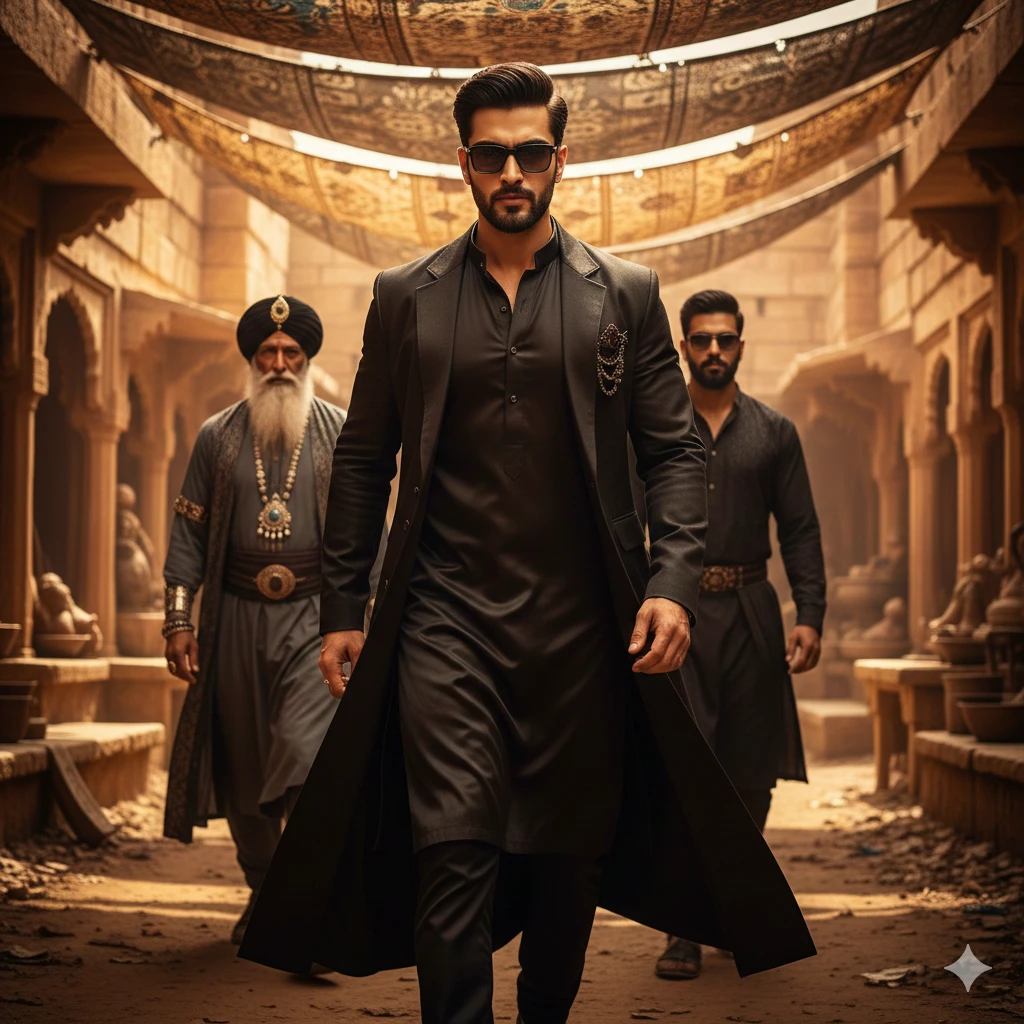
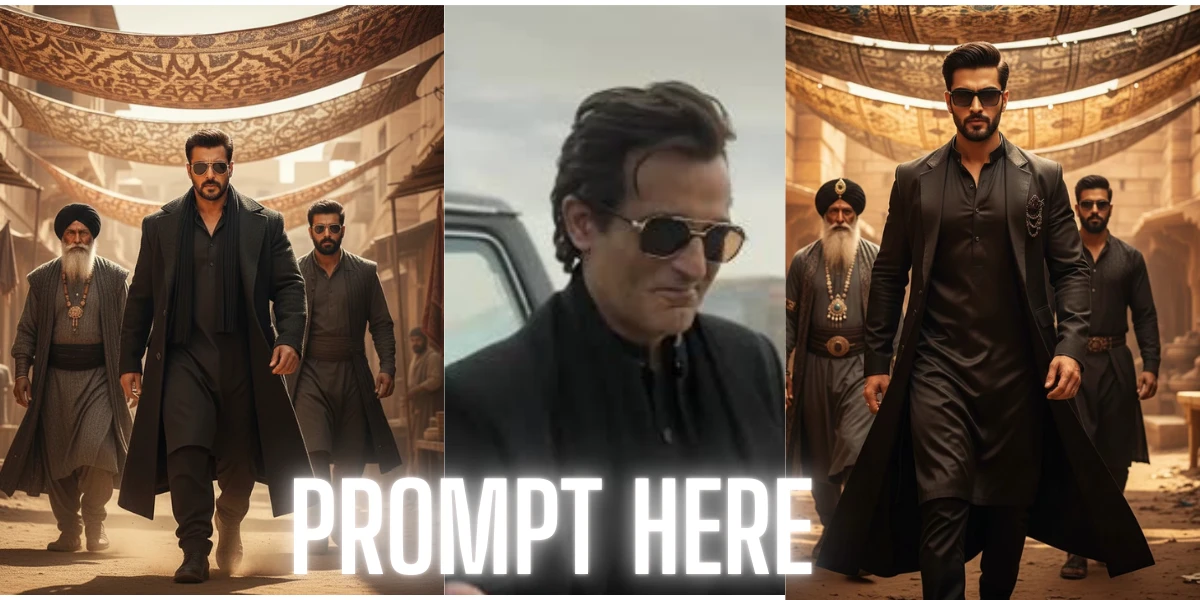
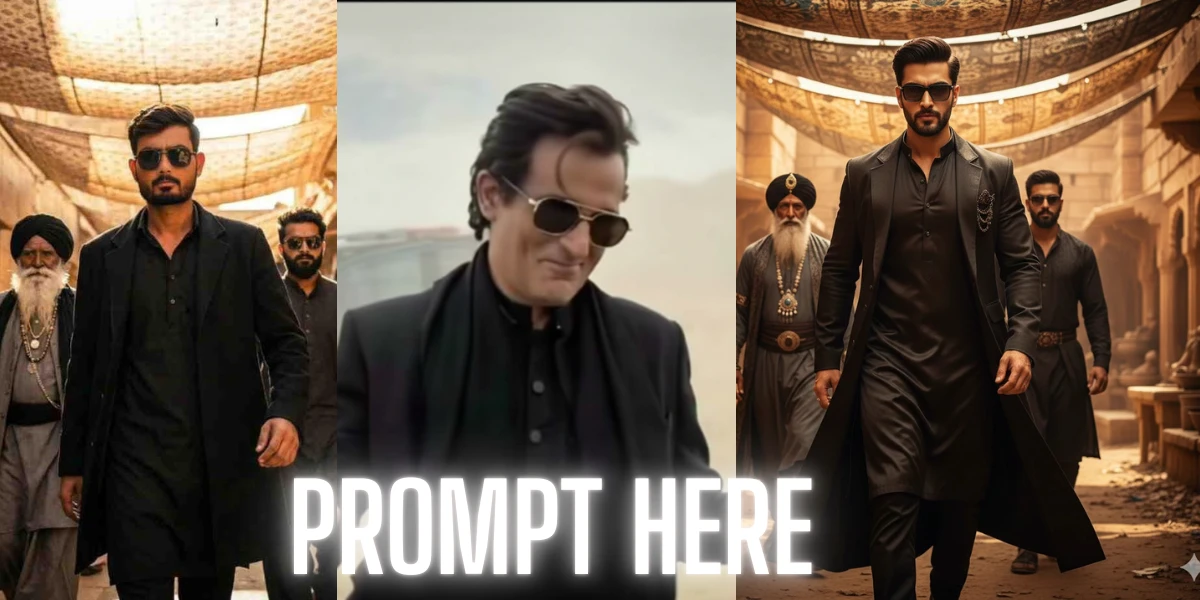
An ultra-realistic, cinematic full-body portrait of the same young man from the reference image, matching his exact hairstyle, sharp eyebrows, trimmed beard, and confident expression. The scene depicts a powerful, villain-style entrance: a sharp-featured man dressed in a black kurta, a long black overcoat, and dark sunglasses walking forward with intense confidence.
Warm golden sunlight filters through patterned fabric shades overhead, casting dramatic, textured light and shadow across his face. Behind him, two men follow — one older, with a long white beard, black turban, layered grey robes, and heavy jewelry; the other younger, bearded, wearing dark glasses and dark traditional attire.
The setting resembles an ancient marketplace or desert fort built from sandstone, with rugged textures and warm golden tones throughout. The camera angle is slightly low, capturing a heroic, slow-motion entrance. The image should feature highly detailed faces, crisp shadows, cinematic depth of field, rich color grading, and a dramatic, powerful villain aura rendered in ultra-realistic quality.
Prompt 2 – Dramatic Full-Body Rehman Dakait Look
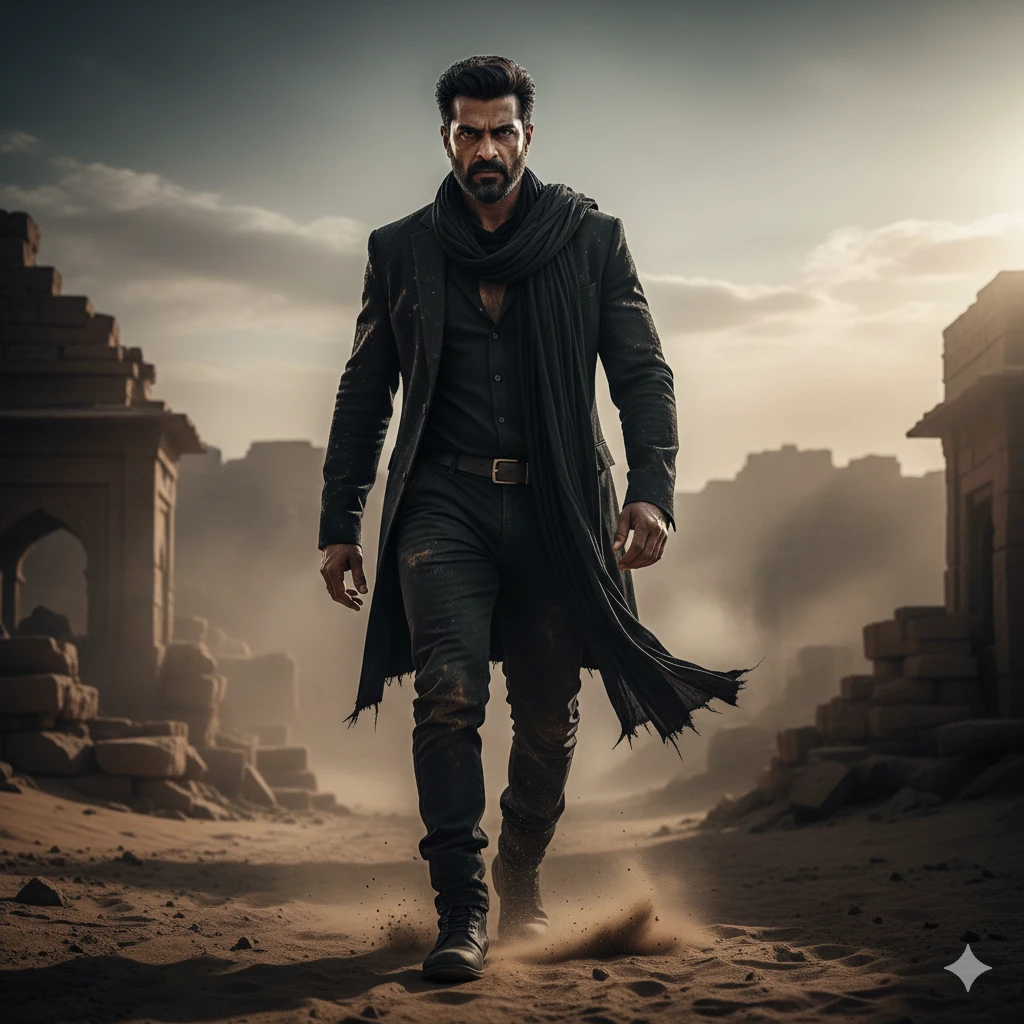
“Full-body cinematic portrait of Rehman Dakait, Dhurandhar movie style, rugged black outfit with blazer and scarf, intense expression with fearless eyes, walking in a smoky street or desert environment, dramatic directional lighting, deep shadows, ultra-realistic 8K textures, cinematic film grading, gritty facial and clothing details, bold gangster aura, hyper-detailed Dhurandhar look.”
The second prompt is designed for full-body cinematic compositions. It focuses on the character’s posture, walking stance, and environmental storytelling. This prompt creates a dynamic and immersive portrait, perfect for thumbnails, movie-themed artwork, or social media posts.
Tips for Using These Prompts Effectively
To achieve the best results with these AI prompts:
- High Resolution: Always generate images in high resolution. The cinematic look depends on fine details like skin texture, shadows, and clothing folds.
- Multiple Variations: Run the prompts several times to explore different lighting and angle variations. Sometimes minor changes in facial orientation or shadow distribution enhance realism.
- Image-to-Image Mode: If using your own photo as the base, paste it into the image-to-image function in Gemini AI. This preserves your features while transforming your look into Rehman Dakait’s cinematic style.
- Include Mood Details: Words like “moody,” “dramatic,” and “hyper-detailed” improve AI interpretation of cinematic emotion.
Following these tips ensures your Rehman Dakait transformation looks natural, intense, and faithful to the Dhurandhar aesthetic.
Conclusion
The Rehman Dakait style from the Dhurandhar movie is perfect for creators who want dramatic, cinematic, and realistic photo edits. Using Gemini AI with the two prompts provided in this guide allows you to instantly transform any image into a high-quality, Dhurandhar-inspired portrait. Whether you are creating thumbnails, social media content, or movie-themed artwork, these prompts deliver professional results that capture the iconic look of Rehman Dakait. With practice and high-resolution settings, you can achieve stunning, viral-quality AI edits in just a few minutes.